
Analytics & Reporting
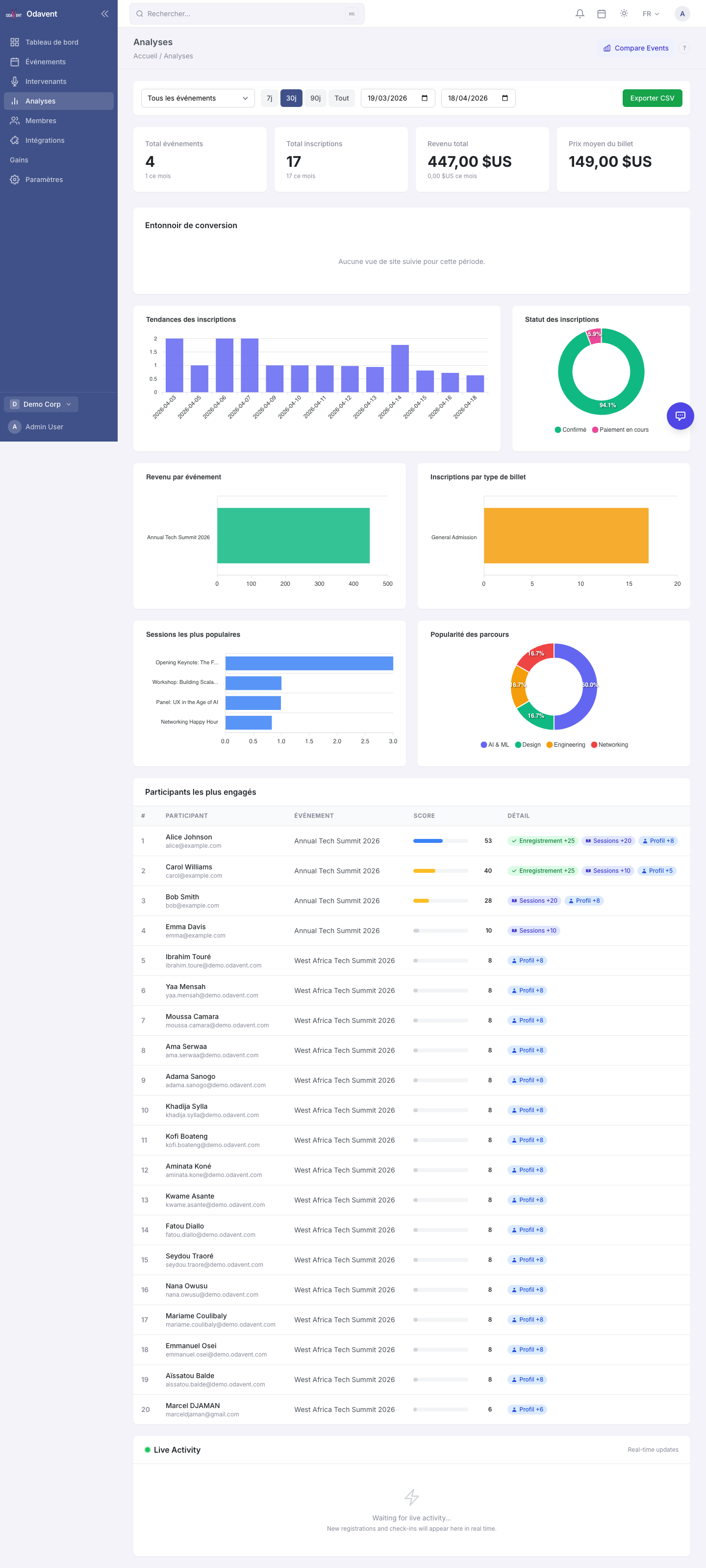
The platform provides built-in analytics for registrations, revenue, session attendance, check-in rates, and comprehensive PDF reports.
Registration Trends
Section titled “Registration Trends”- Open your event and go to Analytics → Registrations.
- The chart shows daily registration counts over time.
- Hover over any data point to see the exact count for that day.
- Use the date range picker to zoom in on a specific period.
Revenue Tracking
Section titled “Revenue Tracking”(Pro and Enterprise plans only)
- Go to Analytics → Revenue.
- See total revenue, broken down by ticket type.
- View refunds issued and net revenue.
- The currency shown matches your organization’s configured currency (set under Settings → Currency).
Session Attendance
Section titled “Session Attendance”- Go to Analytics → Sessions.
- A bar chart shows how many attendees bookmarked or attended each session.
- Filter by track to compare sessions within a group.
Check-in Rates
Section titled “Check-in Rates”- Go to Analytics → Check-In.
- See the percentage of confirmed registrants who checked in on the day.
- Breakdown by ticket type and by hour of the day.
Exporting Analytics
Section titled “Exporting Analytics”(Advanced export available on Enterprise plan)
- On any analytics page, click Export (top-right corner).
- Choose CSV for raw data or PDF for a formatted report.
Event Report PDF
Section titled “Event Report PDF”Generate a comprehensive, printable report for post-event review or stakeholder presentations.
- Go to Analytics → Event Report.
- Click Generate PDF Report.
- The report includes: registration summary, revenue, session attendance, check-in rates, and sponsor highlights.
- The PDF downloads automatically.