
Bulk Email
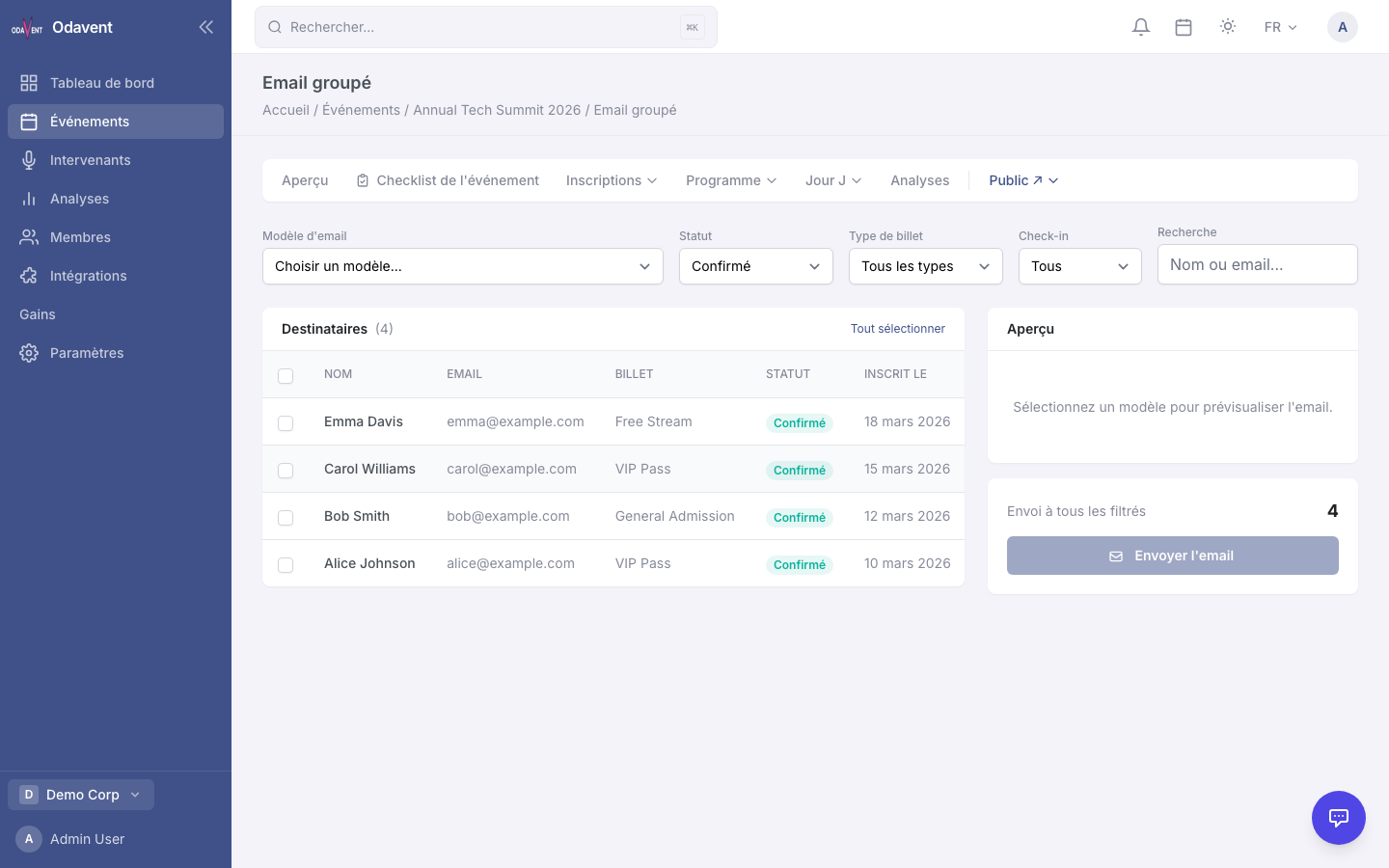
Bulk Email lets you send a one-time email to a filtered subset of your event’s registrants.
Sending a Bulk Email
Section titled “Sending a Bulk Email”- Open your event and go to Email → Bulk Send.
- Select an Email Template from the dropdown.
- Apply Recipient Filters:
- Registration status (Confirmed, Waitlisted, etc.)
- Ticket type
- Check-in status
- The Recipient Count updates live as you adjust filters.
- Click Preview Email to see a rendered preview using sample attendee data.
- Click Send Now.
- A confirmation modal shows the final recipient count. Click Confirm Send.
Note: Emails are sent in batches of 50 in the background. Large lists may take a few minutes to fully send.