
Email Templates
Email Templates (11 Types)
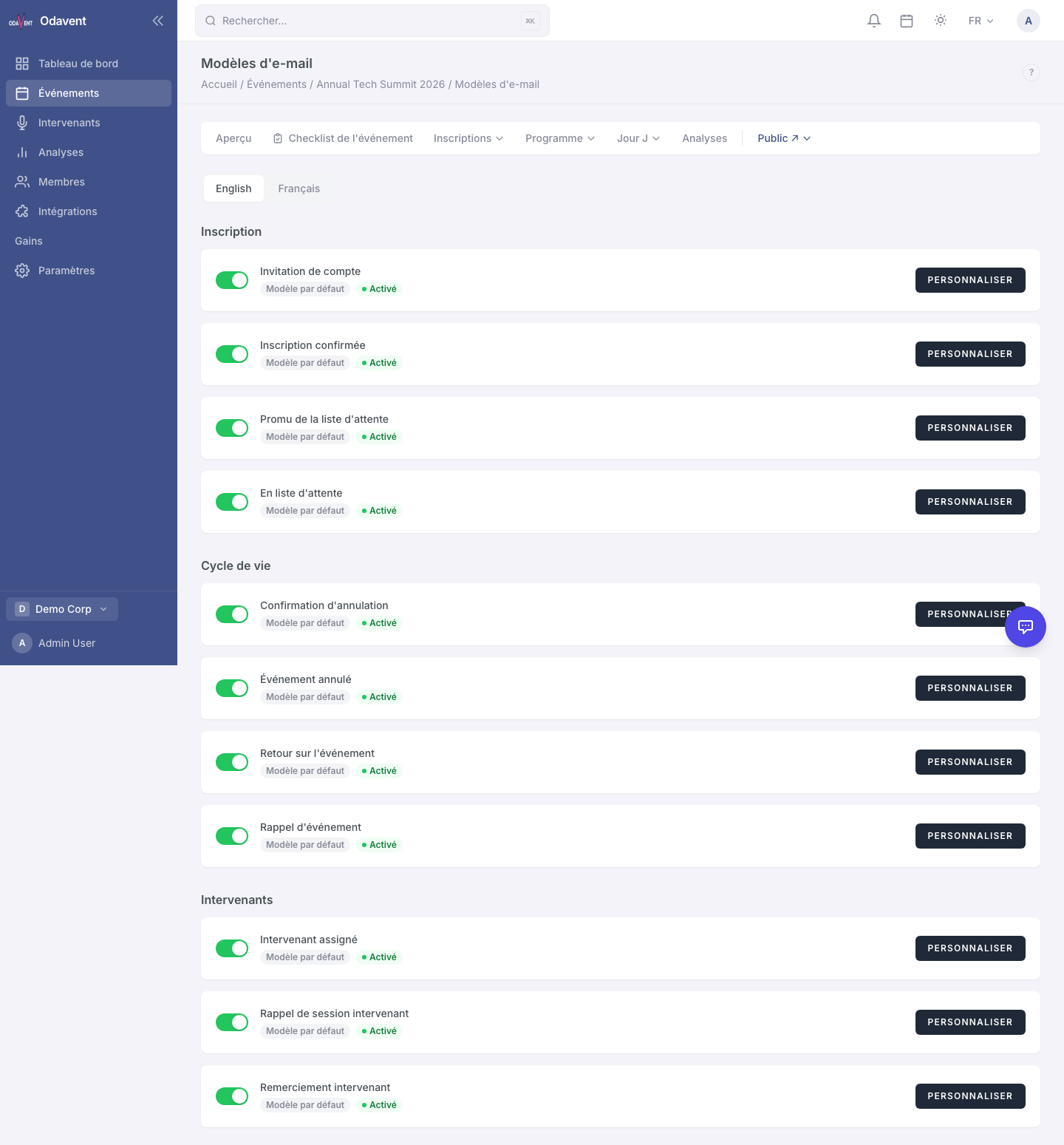
Section titled “Email Templates (11 Types)”The platform includes pre-built, locale-aware email templates for common scenarios. You can customize the copy and design for each.
| Template | When it’s sent |
|---|---|
| Registration Confirmation | When an attendee registers |
| Waitlist Confirmation | When an attendee joins the waitlist |
| Waitlist Promoted | When an attendee moves from waitlist to confirmed |
| Event Reminder | 24 hours before the event starts |
| Event Cancelled | When the event status changes to Cancelled |
| Session Recording Available | When a recording URL is added to a session |
| Speaker Invitation | When you send a speaker their portal link |
| Partner Portal | When you send a partner their portal link |
| Certificate Available | When a certificate is generated for an attendee |
| Invoice / Receipt | When a paid registration is confirmed |
| Refund Confirmation | When a refund is processed |
To customize a template:
- Go to Email → Templates.
- Click the template you want to edit.
- You can edit the template in the Code Editor (HTML) or switch to the Visual Builder (see next section).
- Use template variables such as
{{attendee_name}},{{event_name}},{{event_date}}to personalize content. - Click Save Template.
Email Builder (Unlayer Drag-and-Drop)
Section titled “Email Builder (Unlayer Drag-and-Drop)”For a fully visual editing experience, each email template can be designed in the Unlayer email builder.
- Open a template and click Open in Visual Builder.
- Drag content blocks (text, image, button, divider, social links) onto the email canvas.
- Click any element to edit its content and style.
- Click Save to apply changes.
Tip: Click Preview in Unlayer to see how the email renders in dark mode and on mobile.
Saved Email Layouts
Section titled “Saved Email Layouts”If you have designed an email layout you want to reuse, save it as a Saved Layout.
- In the Unlayer builder, click Save as Layout in the top toolbar.
- Give it a name.
- When starting a new template, click Load Layout to start from a saved design.
Go to Email → Saved Layouts to manage, rename, or delete your saved layouts.