Multi-Page Support
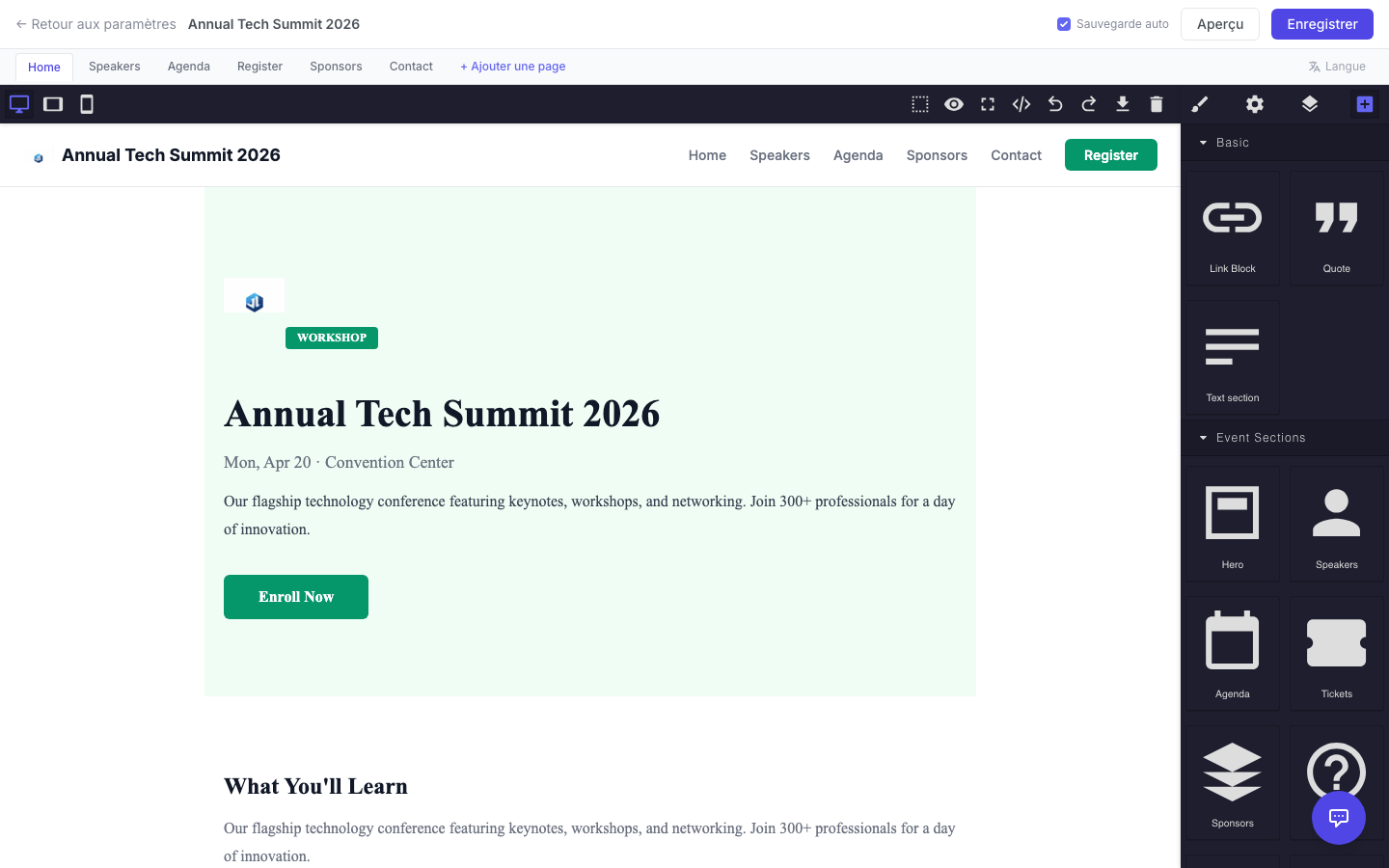
Your event website can have multiple pages. Default pages include: Home, Speakers, Agenda, Register, Sponsors, and Contact.
Adding a Custom Page
Section titled “Adding a Custom Page”- In the editor toolbar, click the Pages tab.
- Click + Add Page.
- Enter the page name (e.g., “About” or “Hotels”).
- A blank page is created. Design it using the blocks panel.
Switching Between Pages
Section titled “Switching Between Pages”- Click the page tab at the top of the editor (e.g., “Speakers”).
- The canvas switches to that page. Each page’s content is saved independently.
Removing a Page
Section titled “Removing a Page”- Right-click the page tab and select Remove Page.